Next Working Day
On qualifying orders
UK Dispatched
Fast & reliable nationwide
Expert Support
Mon–Fri, 9 am – 5 pm
Genuine Brands
New, manufacturer-warranted
Next-working-day delivery. Order before 17:30 (England & Wales) or 16:00 (Northern Ireland, Republic of Ireland, Scotland) to receive next-working-day delivery. Orders placed before 17:30 Friday are delivered Monday; after 17:30 Friday arrive Tuesday. Upgrades — pre-9, pre-10:30, pre-noon, special and secure bulk — available at extra cost.
Orders over £100 (ex VAT) receive FREE next-working-day delivery across the UK.
Instant digital delivery. Software licences, subscriptions, warranties & insurance, and electronic copies are delivered the same day via email — provided a valid email address is entered at checkout.
*UK business days (Mon–Fri). Orders placed after Friday 17:30 will be dispatched Monday for Tuesday delivery. Subject to stock, payment clearance and courier network conditions.

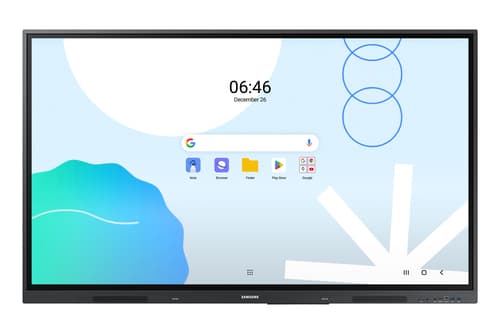
Samsung Interactive Display WA65F - 65" Diagonal Class WAF Series LED-backlit LCD display - education / business - with touchscreen (multi touch) - Android - 4K UHD (2160p) 3840 x 2160 - black
- Touchscreen 165.1 cm (65") IPS Black
- 4K Ultra HD 3840 x 2160 pixels
- 400 cd/m² 1200:1 8 ms
- Bluetooth Ethernet LAN
- VESA mounting 600 x 400 mm
Similar Products
Samsung Interactive Display WA75F - 75" Diagonal Class WAF Series LED-backlit LCD display - education / business - with touchscreen (multi touch) - Android - 4K UHD (2160p) 3840 x 2160 - black
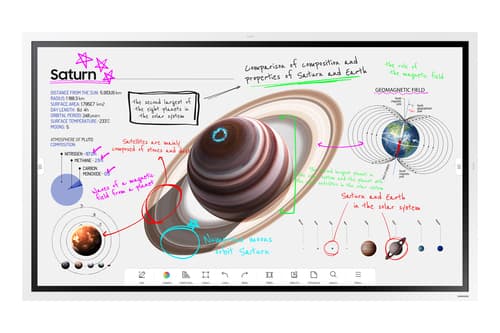
Samsung Flip Pro WM65B - 65" Diagonal Class (64.5" viewable) - WMB Series LED-backlit LCD display - education / business - with touchscreen (multi touch) - Tizen OS - 4K UHD (2160p) 3840 x 2160 - Edge LED - white grey
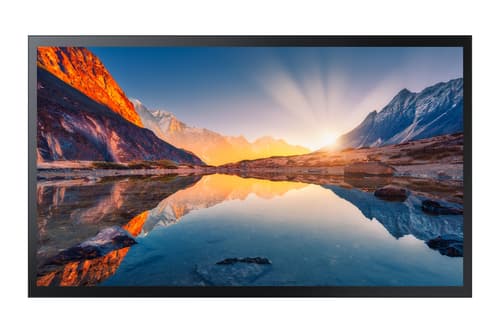
Samsung QM32R-T - 32" Diagonal Class QMR-T Series LED-backlit LCD display - interactive - with touchscreen - 1080p 1920 x 1080 - New Edge Backlight
Samsung Interactive Display WA86D - 86" Diagonal Class WAD Series LED-backlit LCD display - education / business - with built-in interactive whiteboard, touchscreen (multi touch) - Android - 4K UHD (2160p) 3840 x 2160 - space grey
Overview
Samsung LH65WAFWLGCXEN interactive whiteboard 165.1 cm (65") 3840 x 2160 pixels Touchscreen Black
Specifications
Display
- Display diagonal
- 165.1 cm (65")
- Touchscreen
- Yes
- Display brightness
- 400 cd/m²
- Display resolution
- 3840 x 2160 pixels
- HD type
- 4K Ultra HD
- Panel type
- IPS
- Contrast ratio (typical)
- 1200:1
- Response time
- 8 ms
- Touchscreen type
- Infrared
- Viewing angle, horizontal
- 178°
- Viewing angle, vertical
- 178°
- Pixel pitch
- 0.372 x 0.372 mm
- Haze rate
- 25%
Computer system
- Operating system installed
- Android
Network
- Wi-Fi
- Yes
- Wi-Fi standards
- Wi-Fi 5 (802.11ac)
- Bluetooth
- Yes
- Ethernet LAN
- Yes
Ports & interfaces
- HDCP
- Yes
- HDCP version
- 2.1
- HDMI ports quantity
- 1
- HDMI version
- 2.1
- Ethernet LAN (RJ-45) ports
- 1
Ergonomics
- Product colour
- Black
- VESA mounting
- Yes
- Panel mounting interface
- 600 x 400 mm
Performance
- Operating hours (hours/days)
- 12/7
Power
- Power consumption (typical)
- 409 W
- Power consumption (standby)
- 0.5 W
- AC input voltage
- 100-240 V
- AC input frequency
- 50/60 Hz
Operational conditions
- Operating temperature (T-T)
- 0 - 40 °C
- Operating relative humidity (H-H)
- 10 - 80%
Weight & dimensions
- Width
- 1482.1 mm
- Height
- 897.5 mm
- Depth
- 87.7 mm
- Weight
- 36.2 kg
Packaging data
- Package width
- 1640 mm
- Package depth
- 185 mm
- Package height
- 1010 mm
- Package weight
- 44.5 kg
The WAF series offers familiarity to its users. It's compatible with other Android devices and provides a variety of widgets and an easily customizable home screen. These features create more flexibility in building an environment that suits various learning needs.
With an EDLA certification, the WAF series supports a variety of Google services like Google Play and YouTube. This access to major educational apps like Google Classroom leads to increased efficiency and enhanced communication with students.
The WAF series lets users take notes anytime with a simple press of the always-visible Annotation button. Whether watching a video or viewing any content, users can seamlessly annotate without interruptions, avoiding the need to capture images first and enhancing productivity.
The upgraded Note app allows up to four independent note zones on a single page, enabling multiple students to use the whiteboard simultaneously. Students can work in their own zones without affecting others, fostering both collaboration and individual learning.
The split screen and multi-window, enable teachers to easily display information and multitask at the same time on the WAF series. This flexibility provides convenient access to all the screens required to create engaging learning environments.
The WAF series supports screen mirroring for up to nine devices, increasing student engagement. This feature ensures every student is included and engaged as content can be shared on both the large display and individual devices. It can be used on iOS, Mac, Windows, Android.
Multiple users can write and draw on the whiteboard at the same time with the displays advanced multi-touch capabilities. Up to 40 simultaneous touchpoints are possible, allowing large groups of students and teachers to collaborate and learn together in a fun and natural way.
The dual pen function enables the use of two different writing tools with no downtime. With the double-sided nib applied, users can effortlessly switch between two different colors on the front and back side of the pen – without needing to change the settings or interrupt the flow of the lesson.
The WAF includes front-facing physical controls for quick access to frequently used functions. These intuitive controls allow users to operate the interactive display more efficiently, enhancing the overall user experience.
Connectivity is enhanced with the 3-in-1 USB-C port, enabling screen mirroring, touch control and external device charging (max. 65W). Teachers can simply connect to the USB Type-C port, allowing them to deliver interactive and engaging lessons without any hassle.
With the HDMI Out function, whiteboard screen content can be shared on a different and larger screen in the classroom. This feature ensures teachers can provide a real-time, interactive experience for students who can easily view the screen content regardless of where they sit in the classroom.
The OPS slot in the WAF series can transform the interactive display into a Windows device, eliminating the need for an extra PC or devices. Users will have access to all the features and functionalities they are familiar with from a standard computer, directly on the display.
The WAF series provides a device management solution[1] essential for advanced educational environments. This solution optimizes the remote management of whiteboard settings and applications, guaranteeing operational efficiency and stability.
Send important messages across campuses, classrooms and public spaces immediately. Urgent communications are displayed on interactive whiteboards so students and other personnel are alerted in real time.

Similar Products
Samsung Interactive Display WA65F - 65" Diagonal Class WAF Series LED-backlit LCD display - education / business - with touchscreen (multi touch) - Android - 4K UHD (2160p) 3840 x 2160 - black
Samsung Interactive Display WA75F - 75" Diagonal Class WAF Series LED-backlit LCD display - education / business - with touchscreen (multi touch) - Android - 4K UHD (2160p) 3840 x 2160 - black
Samsung Flip Pro WM65B - 65" Diagonal Class (64.5" viewable) - WMB Series LED-backlit LCD display - education / business - with touchscreen (multi touch) - Tizen OS - 4K UHD (2160p) 3840 x 2160 - Edge LED - white grey
Samsung QM32R-T - 32" Diagonal Class QMR-T Series LED-backlit LCD display - interactive - with touchscreen - 1080p 1920 x 1080 - New Edge Backlight
Samsung Interactive Display WA86D - 86" Diagonal Class WAD Series LED-backlit LCD display - education / business - with built-in interactive whiteboard, touchscreen (multi touch) - Android - 4K UHD (2160p) 3840 x 2160 - space grey
We Don’t Just Sell ItWe Support the Business Around It
Most people who buy hardware from us never find out that the same team runs managed IT, cloud and security for UK businesses. That side is contracted work rather than a one-off call-out — so if you are fitting out a company rather than replacing a single laptop, it is worth a conversation.
Managed IT Services
Monitoring, patching and an SLA-backed helpdesk under a monthly contract. Remote first, with on-site support where the contract provides for it.
Learn moreCybersecurity Services
Hardening, firewall management and vulnerability scanning — plus Cyber Essentials certification support. We are certified ourselves.
Learn moreManaged Cloud Services
Microsoft 365 and Azure provisioning, migration and management, with hybrid architecture where keeping hardware on site makes sense.
Learn moreProfessional Services
IT strategy, infrastructure reviews, procurement strategy and project management — the work that decides what to buy, and in what order, before anyone buys it.
Learn moreStay Up to Datewith the Latest Thinking
Expert guides, sector insights and technology news from the Greybridge Tech team.
Office Wi-Fi that keeps up: planning a business wireless network
When office Wi-Fi is slow or keeps dropping, the instinct is to buy a more powerful router. It rarely helps. R...
Read ArticleBackups that actually work: the 3-2-1 rule for small businesses
Every business has backups until the day it needs to restore one. A failed disk, a deleted folder or a ransomw...
Read ArticleHow to choose a business laptop: a practical specification guide
Buying laptops for a team is not the same as buying one for yourself. The right specification lasts four or fi...
Read ArticleStill running Windows 10? What businesses should do now
Microsoft ended support for Windows 10 on 14 October 2025. The PCs did not stop working that day, which is exa...
Read Article