Next Working Day
On qualifying orders
UK Dispatched
Fast & reliable nationwide
Expert Support
Mon–Fri, 8 am – 6 pm
Genuine Brands
New, manufacturer-warranted
Next-working-day delivery. Order before 17:30 (England & Wales) or 16:00 (Northern Ireland, Republic of Ireland, Scotland) to receive next-working-day delivery. Orders placed before 17:30 Friday are delivered Monday; after 17:30 Friday arrive Tuesday. Upgrades — pre-9, pre-10:30, pre-noon, special and secure bulk — available at extra cost.
Orders over £100 (ex VAT) receive FREE next-working-day delivery across the UK.
Instant digital delivery. Software licences, subscriptions, warranties & insurance, and electronic copies are delivered the same day via email — provided a valid email address is entered at checkout.
*UK business days (Mon–Fri). Orders placed after Friday 17:30 will be dispatched Monday for Tuesday delivery. Subject to stock, payment clearance and courier network conditions.

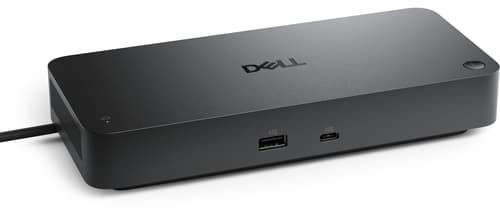
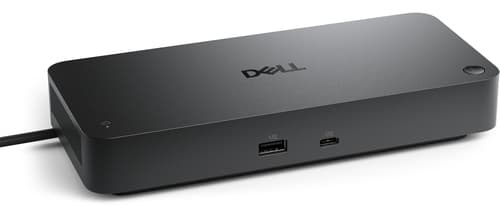
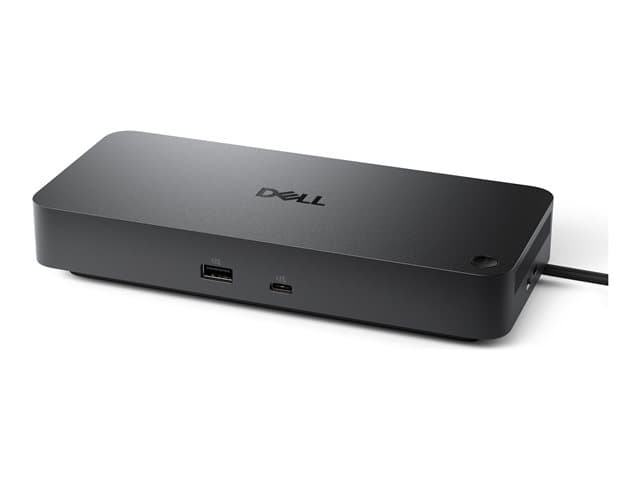
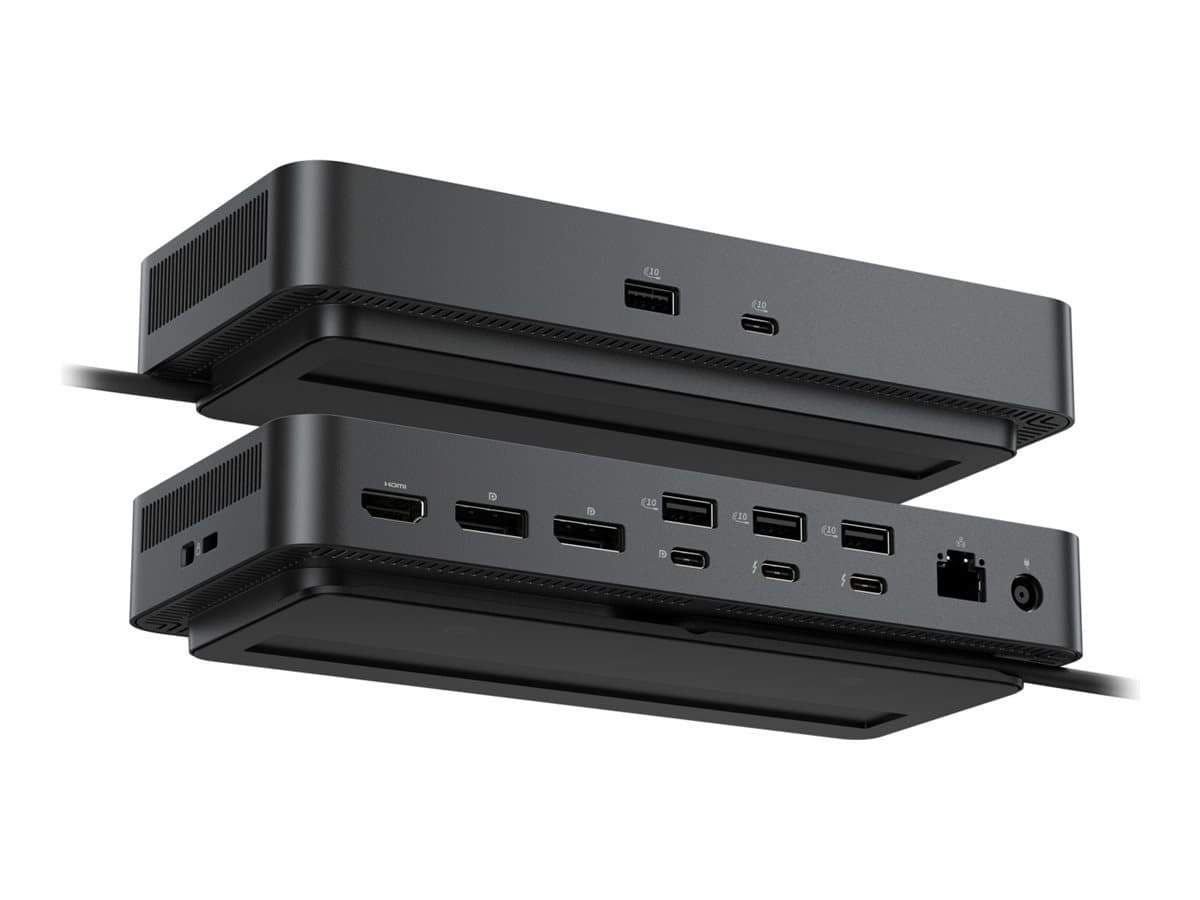
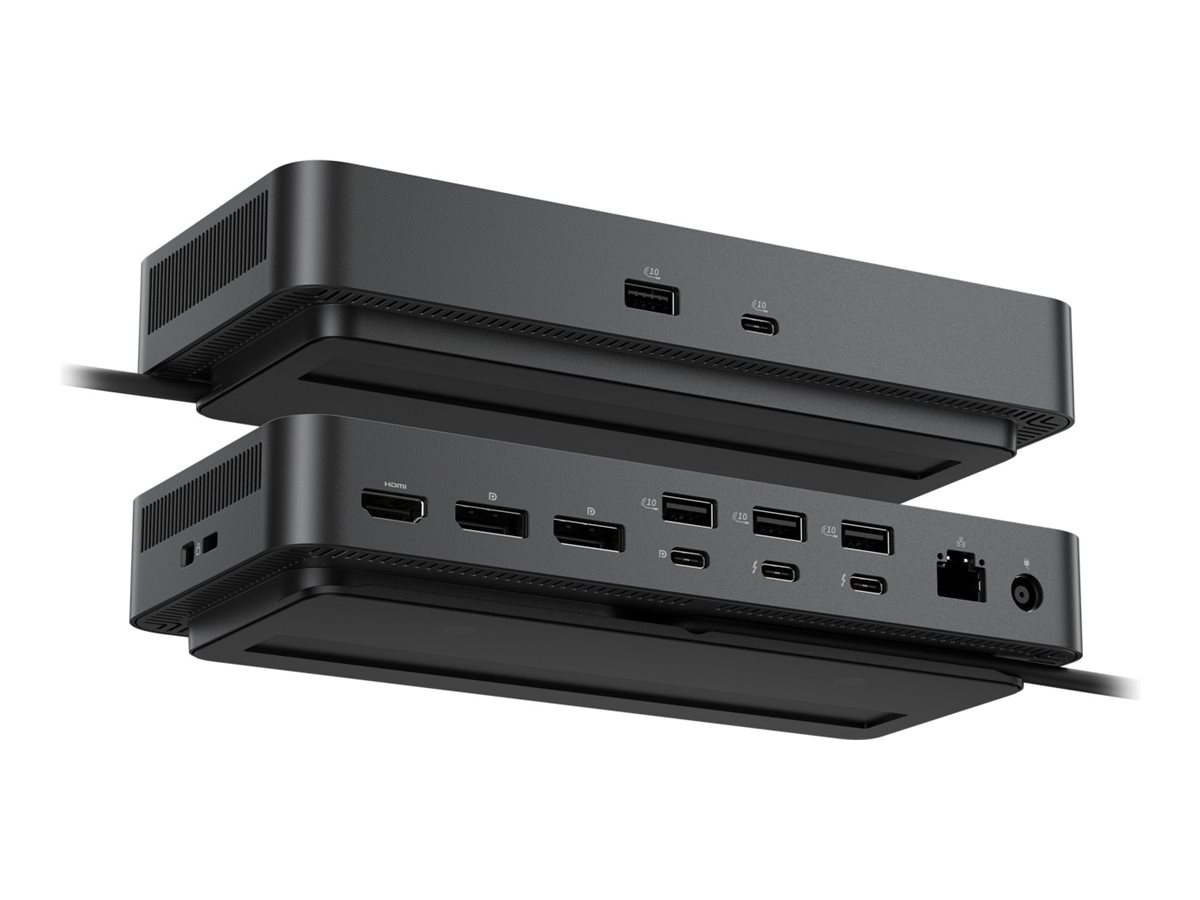
Dell Pro Thunderbolt 4 Smart Dock SD25TB4
Docking station
Thunderbolt 4
HDMI, 2 x DP, 2 x Thunderbolt 4, USB-C
1GbE, 2.5GbE
180 Watt
BTO
with 3 years Basic Hardware Service with Advanced Exchange after remote diagnosis
Weight: 1.68 KG
- Multiple video interfaces including HDMI and DisplayPort
- Up to 130 W and 96 W power delivery for Dell and non-Dell devices respectively
- Support for dual or triple display setups
- Built-in security features including kernel direct memory access protection
- Remote IT management capabilities
Similar Products
Dell Pro Smart Dock SD25 - Docking station - USB-C - HDMI, 2 x DP, USB-C - 1GbE, 2.5GbE - 180 Watt - BTO - with 3 years Basic Hardware Service with Advanced Exchange after remote diagnosis
Dell Pro Dock WD25Z - docking station - USB-C - HDMI, 2 x DP, USB-C - 1GbE, 2.5GbE
Overview
The Dell Pro Thunderbolt 4 Smart Dock SD25TB4 enhances productivity with seamless connectivity. This docking station offers multiple interfaces including USB 3.2 Gen 2, Thunderbolt 4, and HDMI, enabling dual or triple display setups for extensive workspaces. With power delivery capability of up to 130 W for Dell systems and 96 W for non-Dell systems, it ensures devices stay charged while maximizing efficiency. Built for versatility, it includes features such as wake on LAN, remote firmware updates, and kernel direct memory access (DMA) protection, making it a solution for professionals seeking security and IT management capabilities. Its integrated Thunderbolt 4 cable, measuring 0.83 m, simplifies connectivity while maintaining performance in data transfer and video output up to 8K resolution, making this dock an essential accessory for any workstation.
Main Specifications
- Bundled Services
- 3 years Basic Hardware Service with Advanced Exchange after remote diagnosis
- Product Description
- Dell Pro Thunderbolt 4 Smart Dock SD25TB4 - docking station - Thunderbolt 4 - HDMI, 2 x DP, 2 x Thunderbolt 4, USB-C - 1GbE, 2.5GbE
- Product Type
- Docking station
- Docking Interface
- Thunderbolt 4
- Video Interfaces
- HDMI, 2 x DP, 2 x Thunderbolt 4, USB-C
- Dimensions (WxDxH)
- 20.5 cm x 9 cm x 3.525 cm
- Weight
- 579 g
- Networking
- Gigabit Ethernet, 2.5 Gigabit Ethernet
- Power
- Power adapter AC 100-240 V (50 - 60 Hz) 180 Watt Power Provided (19.5 V)
- Pricing Type
- BTO
Product Features
Advanced display options
Supports resolution up to 8K and allows for dual and triple display configurations, enhancing productivity and providing a wider workspace.
Robust security features
Equipped with kernel direct memory access protection and compliance with security standards, ensuring secure operations.
Remote management capabilities
Allows for remote firmware updates and IT management, making it a convenient option for maintaining system integrity.
Versatile connectivity
The Thunderbolt 4 Smart Dock supports a range of interfaces including USB 3. 2 Gen 2, HDMI, and DisplayPort, allowing users to connect multiple devices and peripherals easily.
High power delivery
It provides up to 130 W power delivery to Dell systems and 96 W to non-Dell systems, ensuring that devices are charged while in use.
Specifications
Ports & interfaces
- Connectivity technology
- Wired
- Host interface
- Thunderbolt 4
- HDMI ports quantity
- 1
- Microphone in
- No
- Headphone outputs
- 0
- USB 3.2 Gen 2 (3.1 Gen 2) Type-A ports quantity
- 4
- USB 3.2 Gen 2 (3.1 Gen 2) Type-C ports quantity
- 2
- PowerShare
- Yes
- Number of USB ports with PowerShare support
- 4
- USB Power Delivery (USB PD)
- Yes
- USB Power Delivery up to
- 130 W
- HDMI version
- 2.1
- DisplayPorts quantity
- 2
- DisplayPort version
- 1.4
- Thunderbolt 4 ports quantity
- 2
- DC-in jack
- Yes
- USB Type-C DisplayPort Alternate Mode
- Yes
Network
- Ethernet LAN
- Yes
- Ethernet LAN (RJ-45) ports
- 1
- Ethernet LAN data rates
- 2500 Mbit/s
- Wake-on-LAN ready
- Yes
- Data Link Protocol
- Ethernet, Fast Ethernet, Gigabit Ethernet, 2.5 Gigabit Ethernet
Performance
- Product colour
- Black
- Card reader integrated
- No
- HD type
- 8K Ultra HD
- Maximum digital resolution
- 7680 x 4320 pixels
- Number of displays supported
- 4
- Cable lock slot
- Yes
- Cable lock slot type
- Kensington
- LED indicators
- Yes
Power
- Power source type
- DC
- Power connector
- USB Type-C
- Power supply
- 180 W
Software
- Windows operating systems supported
- Windows 10, Windows 11
- Mac operating systems supported
- Yes
- Linux operating systems supported
- Yes
- Other operating systems supported
- ChromeOS
Operational conditions
- Operating temperature (T-T)
- 0 - 35 °C
- Storage temperature (T-T)
- -20 - 60 °C
- Operating relative humidity (H-H)
- 10 - 80%
- Storage relative humidity (H-H)
- 5 - 90%
Weight & dimensions
- Width
- 90 mm
- Depth
- 35.2 mm
- Height
- 205 mm
- Weight
- 579 g
Packaging data
- Quantity per pack
- 1 pc(s)
Packaging content
- Quick start guide
- Yes
General
- Product Type
- Docking station
- Docking Interface
- Thunderbolt 4
- Video Interfaces
- HDMI, 2 x DP, 2 x Thunderbolt 4, USB-C


Dell Pro Thunderbolt 4 Smart Dock - SD25TB4
Take on intensive workloads with the latest Thunderbolt 4 smart dock delivering up to 130W of power and remote management capabilities.
Engineered for success
Maximise your AI PC productivity by seamlessly using Gen AI tools across up to four 4K 60Hz displays, staying powered with up to 130W power delivery, and connecting all your peripherals effortlessly.

Most manageable commercial dock[1]
Reduce IT efforts by scheduling updates during off-hours, while ensuring fleetwide firmware compliance and eliminating end user interruptions.
Effortless maintenance
Remotely configure, deploy and update smart Docks over Wi-Fi via industry’s first holistic peripheral management solution.[2]
Unlock out-of-band management on select Intel vPro® PCs with Intel® Active Management Technology (Intel® AMT) over Thunderbolt via the connected dock.

Designed for sustainability
The Dell Pro Thunderbolt 4 Smart Dock is built with at least 65% post-consumer recycled materials[1] and packaged with 100% recycled or renewable packaging.[1]
Ports and slots

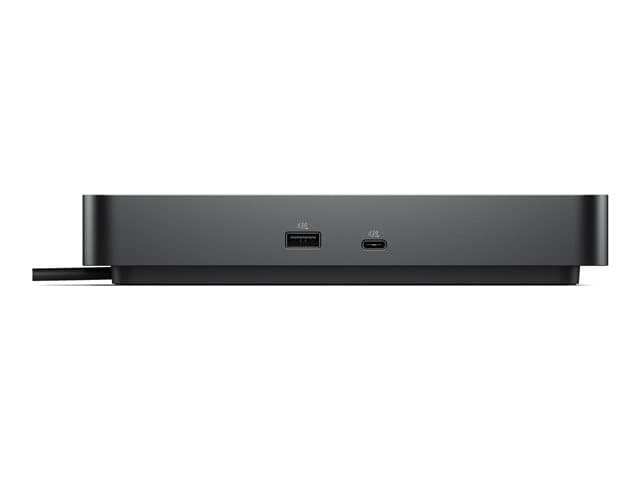
Front side
USB-A 3.2 Gen 2 with PowerShare
USB-C 3.2 Gen 2
Rear side
3.USB-A 3.2 Gen 2 with PowerShare
4.USB-A 3.2 Gen 2 with PowerShare
5.USB-A 3.2 Gen 2 with PowerShare
6.HDMI 2.1
7.DisplayPort 1.4
8.DisplayPort 1.4
9.USB-C 3.2 Gen 2 Multifunction
DisplayPort 1.4
10.Thunderbolt 4
11.Thunderbolt 4
12.2.5 Gigabit Ethernet (RJ45)
13.Power In
Based on Dell internal analysis, December 2024.
Via Dell Device Management Console.
The accurate length of this cable is 0.83 meters. The image provided is for illustrative purposes only.

Similar Products
Dell Pro Thunderbolt 4 Smart Dock SD25TB4
Dell Pro Smart Dock SD25 - Docking station - USB-C - HDMI, 2 x DP, USB-C - 1GbE, 2.5GbE - 180 Watt - BTO - with 3 years Basic Hardware Service with Advanced Exchange after remote diagnosis
Dell Pro Dock WD25Z - docking station - USB-C - HDMI, 2 x DP, USB-C - 1GbE, 2.5GbE
We Don’t Just Sell ItWe Support the Business Around It
Most people who buy hardware from us never find out that the same team runs managed IT, cloud and security for UK businesses. That side is contracted work rather than a one-off call-out — so if you are fitting out a company rather than replacing a single laptop, it is worth a conversation.
Managed IT Services
Monitoring, patching and an SLA-backed helpdesk under a monthly contract. Remote first, with on-site support where the contract provides for it.
Learn moreCybersecurity Services
Hardening, firewall management and vulnerability scanning — plus Cyber Essentials certification support. We are certified ourselves.
Learn moreManaged Cloud Services
Microsoft 365 and Azure provisioning, migration and management, with hybrid architecture where keeping hardware on site makes sense.
Learn moreProfessional Services
IT strategy, infrastructure reviews, procurement strategy and project management — the work that decides what to buy, and in what order, before anyone buys it.
Learn moreStay Up to Datewith the Latest Thinking
Expert guides, sector insights and technology news from the Greybridge Tech team.
Office Wi-Fi that keeps up: planning a business wireless network
When office Wi-Fi is slow or keeps dropping, the instinct is to buy a more powerful router. It rarely helps. R...
Read ArticleBackups that actually work: the 3-2-1 rule for small businesses
Every business has backups until the day it needs to restore one. A failed disk, a deleted folder or a ransomw...
Read ArticleHow to choose a business laptop: a practical specification guide
Buying laptops for a team is not the same as buying one for yourself. The right specification lasts four or fi...
Read ArticleStill running Windows 10? What businesses should do now
Microsoft ended support for Windows 10 on 14 October 2025. The PCs did not stop working that day, which is exa...
Read Article